Showing posts with label apple. Show all posts
Showing posts with label apple. Show all posts
Monday, November 17, 2014
Review Samsung efforts to fight with Apple
News about Samsung has never stopped. Although loss in the patent lawsuit with Apple before, and now Apple seeks ban on Samsung Galaxy Note10.1 and Samsung Galaxy S III, which released in May ,2012 . But Samsung did never give up. Now let’s review all things Samsung have done in order to compete with Apple,include the new iPhone and iPad.
1.Samsung Galaxy SIII vs iPhone 5

Samsung Galaxy SIII is no doubt the most popular smartphone in the market which sells 10 million in two months. Samsung is pinning its hopes on the S III to further erode its market share before the expected new version of Apples iPhone 5 this year.
2.Samsung Galaxy Note2 vs iPhone 5
Samsung officially released its second generation of the Galaxy Note-Samsung Galaxy Note II on August 30, 2012. And rumors said Samsung is planning to launch a service called S Cloud, which would (obviously) compete with Apple’s iCloud.
Samsung officially released its second generation of the Galaxy Note-Samsung Galaxy Note II on August 30, 2012. And rumors said Samsung is planning to launch a service called S Cloud, which would (obviously) compete with Apple’s iCloud.

3.Cooperate with Microsoft Windows Phone 8
Samsung unveils worlds first Windows Phone 8 device on August 30, 2012. Even before Microsofts major partner- Nokia. It is obvious that
The company wants to reduce its dependence on Android through strengthening its cooperation with Microsoft. Samsung hope maintains a leading position in the smartphone market by this way.

4.Galaxy 10.1 vs iPad Mini

The Galaxy Note 10.1 is Samsung’s latest attempt to take on the iPad and threaten Apples dominance in the tablet market, with new features of the stylus pen which released on 16 August. The iPad Mini is said going to launched in October. People believe Apple Vs Samsung will be a advantage to Nokia. The Nokia is going to release its new Windows phone on septermber5, 2012. May be that time it will a threaten t to the Samsung.

Monday, September 8, 2014
Apple Device Buyers Guide
Apple Devices Buyers Guide, get the information before you buy. Whenever purchasing an Apple Device such as the nano, shuffle, iPhone, iPad, iPod, etc you should know what your looking at buying and have all the information available to you. For us Apple products last long and work, rarely any problems and nothing but devoted fans of the products its no wonder why Apple is as big as it is today. With the many different devices from Apple for you to choose, from work to play Apple has a full line for anyone of any age or preference. If your an artist Apple has a device for that, if your always on the go Apple has a device for that, cramped inside a small Apartment get a Mac Mini. Apple has a device for everything for anyone.
Apple iPod Shuffle:
The shuffle is Apples smallest iPod, without a Lcd and focused on playing a set of your favorite songs in a random order. The shuffle even talks to you to let you know whats being played. This year Apple has gone back to buttons but kept the voice over for the best of both worlds. It is also possible to get free engraving when you order the shuffle from Apples Website.
Apple iPod Nano:
In the biggest design revision of the nano ever to date, Apple has dropped the buttons in favor of a tiny touch Lcd. Play music, view photos, and much more on the coolest Nano ever made. It comes with a built in belt clips and a free engraving as well if ordered through Apples Website.
Apple iPod Classic:
Rumors of a touch Lcd iPod made this iPods outlook grim. But it has been reinvented with a 160GB storage and an all in new casing and interface. Proof that some classics never go out of fashion. The huge storage capacity and traditional controls make this iPod a firm Favorite even since the advent of the Apple iPhone And iPod Touch.
Apple iPod Touch:
Catching up with the technology in the iPhone 4. The new iPod Touch has a retina display and two cameras (Front and Rear) as well as the A4 Chip and the gyroscope for better improved gaming control. All of this comes in a quite unbelievably thin enclosure. Looking for an iPhone without having to buy one then the Apple iPod Touch is your best choice. All the benefits of an iPhone without the talk.
Apple iPhone 3GS:
Twice as fast, includes a digital compass, voice control, plus video shooting and editing. The iPhone 3GS is priced at $50 through AT&T with a upgrade or renewal of your contract.
Apple iPhone 4G:
Featuring over 100 new features and a complete industrial redesigned housing unit. Its no wonder why this has become the most popular iPhone to date. With the advent of a both a Black iPhone 4 and White, you can have your cake and eat it to.
Apple iPad:
Will it be the revolution everybody expects or is it just a giant iPod Touch? Sales so suggest otherwise. But its early Days for Apple Tablet device with exciting extras to come in the near future. Looking for computing on the go then the Apple iPad and Apple iPad 2 is your best choice. Pair this device up with Apple Wireless Keyboard and you have yourself a Mac computer without needing a big machine to carry around with you.
Mac Mini:
The Mac Mini has been completely redesigned to feature a uni-body enclosure, SD Card slot, Twice the graphics capabilities a faster processor and the capacity to support up to 8GB of memory (RAM). Other new features include an HDMI port and up to 500GB of storage capacity, four USB ports, and Firewire 800.
Macbook:
Apples only Macbook has seen a Facelift. With the impressive uni body design of the Macbook Pro embodied in the trademark polycarbonate of the early Macbooks. Along with the uni-body comes a built in with a 10 hour battery, 8x double layer super drive, and 250GB of Hard Drive Space. Talk about packing a punch the Macbook can stand up to any laptop and come out on top.
Macbook Air:
The all new Macbook Air takes all its design Cues from the iPad and iPad 2. With Flash storage, multi touch track-pad and instant on. Its sure to please any Mac head looking for a super fast light weight Apple Laptop.
Macbook Pro:
The 15 and 17 inch Macbook Pros now come with a new Intel Core i5 and i7 processors which considerably boost performance up to 50 percent over the previous generation of Macbook Pros that came out before. The 13 inch Macbook still features the 2 Duo Core Processors.
iMac:
Say Goodbye to the 24 Inch Model. Its a choice between 21.5 or a massive 27 inch iMac these days. With enhanced performance 1920x1080 or 2560x1440 resolution and an update design.
Mac Pro:
The fastest Mac ever made can go faster if you want it to and now features a remarkable Twelve Core Power is effectively two six core Intel processors running side by side in one machine and you guessed it. It makes the fastest Mac ever Encountered. Yes you can customize it to how you like through Apple. May be pricey piece of machinery but one worth buying. The amount of work and the work load this computer can take is beyond comparison, PC doesnt have nothing on the Mac Pro.
Apple has launched a revolution in the Tech industry and continues to impress. Both with new devices and improving on their old devices. As is the case with the iTouch and iPhone giving themselves more market share and the ability to get more customers with a device that can be both a phone and iPod. Its amazing still how much Apple has put forth and how much more development they continue to do. Steve Jobs is silicon Valleys miracle man and he continues to be the best. Whatever hes created or touched has become Gold and with Apple hell leave behind a legacy that will last for decades to come. The Apple Family of Devices will always be around and with there hands in everything, Apple will always be leading the Tech Industry.
Looking for more information Apple Device Accessories for the Mac Pro Mac Mini and more see below...
Just like the PC Apple has a much more simpler device add ons and accessories for the everyday person that they can literally turn their devices into a networking powerhouse. Its why so many Artists use Apple Devices rather theyre making music or creating new websites Apple is the way to go. A lot of people have gone to PC because its cheaper but in the long run if you where to invest in an Apple Mac Pro or Macbook or even a Mac Mini you could save yourself thousands of dollars over time.
Apple Keyboard:
Apples super slim keyboard takes its design cues from the Macbook range with small yet satisfying keys and a stylish aluminum enclosure. The over all design and feel of an Apple Keyboard is one you will enjoy and continue to enjoy for years to come.
$29
Apple Magic Track Pad:
The Multi-touch Track Pad is designed to work with your Desk Top Mac. It uses the same multi Touch Technology from the Mac Book Pro and it supports a full range of gestures giving you the user a whole new way of controlling your Mac. The Track pad is an ingenious design that is sure to please any pallet.
$59
Apple Wireless Keyboard:
Apples Wireless Keyboard variant is more of a squat design than its wired sibling. But is brilliantly portable and can be used on the desk or lap. The device pairs very well with your Apple iPad and Apple iPad 2, if your looking for a solution for typing and being on the go at the same time.
$56
Apple Mice:
The standard Apple mouse is still available to buy through the Apple website and features up to six buttons and a roller-ball. The Magic Mouse is the first multi touch mouse. It allows users to combine gestures with a standard mouse pointer.
Standard Mouse $39 Magic Mouse $56
Apple Cinema & LED Displays:
Looking For Media And Networking, Apple Has Devices for those to. A Simple yet elegant easy way to connect all your devices together. Apple has come up with what I call effortless networking for the simple man to the Mac head who is a hardcore Mac lover. Apples Media And Networking Solutions are easy to get easy to install and set up. A lot of what is really its all plug play and enjoy. Apple releases these devices with the sole purpose of you being able to unpackage them and use them right away. No need to sit for hours like you do with a PC when your trying to network with Apple just plug it in and go, check out Apples Media and Networking Solutions below.
Airport eXtreme Base Station:
Airport eXtreme is smaller in design than the Mac Mini.It provides Ethernet and USB ports for wired connections to a network printer or external Hard Drive. The 802.11n Technology provides ranges 2.5 times greater than that of 802.11g routers.
$142
Airport eXpress Base Station:
The smaller of Apples Base Stations works like a standard wall plug. With connections for Ethernet, USB and Audio line for using Airtunes, which can send music to any device VIA Airport eXpress and an Audio Cable.
$81
Apple TV:
This device has ditched the Hard Drive and had a huge drop in price. Stream content right from your iTunes and your home Mac and watch it directly on your TV. The Apple TV device is a must have for anyone who have a huge amount of movies on their iTunes. Be able to stream content across your devices and on to your TV with Apple TV.
160GB is $99
Time Capsule:
Wireless backup for your portable desktop Mac using Time Machine. A full 802.11n WiFi base station and a server grade hard drive means youll never have to worry about backing up again. The server grade hard drive and set it forget it makes backing up your desktop and WiFi Station makes backing up a whole lot easier.
1TB is $294 and 2TB is $388
Read More..
Apple iPod Shuffle:
The shuffle is Apples smallest iPod, without a Lcd and focused on playing a set of your favorite songs in a random order. The shuffle even talks to you to let you know whats being played. This year Apple has gone back to buttons but kept the voice over for the best of both worlds. It is also possible to get free engraving when you order the shuffle from Apples Website.
Apple iPod Nano:
In the biggest design revision of the nano ever to date, Apple has dropped the buttons in favor of a tiny touch Lcd. Play music, view photos, and much more on the coolest Nano ever made. It comes with a built in belt clips and a free engraving as well if ordered through Apples Website.
Apple iPod Classic:
Rumors of a touch Lcd iPod made this iPods outlook grim. But it has been reinvented with a 160GB storage and an all in new casing and interface. Proof that some classics never go out of fashion. The huge storage capacity and traditional controls make this iPod a firm Favorite even since the advent of the Apple iPhone And iPod Touch.
Apple iPod Touch:
Catching up with the technology in the iPhone 4. The new iPod Touch has a retina display and two cameras (Front and Rear) as well as the A4 Chip and the gyroscope for better improved gaming control. All of this comes in a quite unbelievably thin enclosure. Looking for an iPhone without having to buy one then the Apple iPod Touch is your best choice. All the benefits of an iPhone without the talk.
Apple iPhone 3GS:
Twice as fast, includes a digital compass, voice control, plus video shooting and editing. The iPhone 3GS is priced at $50 through AT&T with a upgrade or renewal of your contract.
Apple iPhone 4G:
Featuring over 100 new features and a complete industrial redesigned housing unit. Its no wonder why this has become the most popular iPhone to date. With the advent of a both a Black iPhone 4 and White, you can have your cake and eat it to.
Apple iPad:
Will it be the revolution everybody expects or is it just a giant iPod Touch? Sales so suggest otherwise. But its early Days for Apple Tablet device with exciting extras to come in the near future. Looking for computing on the go then the Apple iPad and Apple iPad 2 is your best choice. Pair this device up with Apple Wireless Keyboard and you have yourself a Mac computer without needing a big machine to carry around with you.
Mac Mini:
The Mac Mini has been completely redesigned to feature a uni-body enclosure, SD Card slot, Twice the graphics capabilities a faster processor and the capacity to support up to 8GB of memory (RAM). Other new features include an HDMI port and up to 500GB of storage capacity, four USB ports, and Firewire 800.
Macbook:
Apples only Macbook has seen a Facelift. With the impressive uni body design of the Macbook Pro embodied in the trademark polycarbonate of the early Macbooks. Along with the uni-body comes a built in with a 10 hour battery, 8x double layer super drive, and 250GB of Hard Drive Space. Talk about packing a punch the Macbook can stand up to any laptop and come out on top.
Macbook Air:
The all new Macbook Air takes all its design Cues from the iPad and iPad 2. With Flash storage, multi touch track-pad and instant on. Its sure to please any Mac head looking for a super fast light weight Apple Laptop.
Macbook Pro:
The 15 and 17 inch Macbook Pros now come with a new Intel Core i5 and i7 processors which considerably boost performance up to 50 percent over the previous generation of Macbook Pros that came out before. The 13 inch Macbook still features the 2 Duo Core Processors.
iMac:
Say Goodbye to the 24 Inch Model. Its a choice between 21.5 or a massive 27 inch iMac these days. With enhanced performance 1920x1080 or 2560x1440 resolution and an update design.
Mac Pro:
The fastest Mac ever made can go faster if you want it to and now features a remarkable Twelve Core Power is effectively two six core Intel processors running side by side in one machine and you guessed it. It makes the fastest Mac ever Encountered. Yes you can customize it to how you like through Apple. May be pricey piece of machinery but one worth buying. The amount of work and the work load this computer can take is beyond comparison, PC doesnt have nothing on the Mac Pro.
Apple has launched a revolution in the Tech industry and continues to impress. Both with new devices and improving on their old devices. As is the case with the iTouch and iPhone giving themselves more market share and the ability to get more customers with a device that can be both a phone and iPod. Its amazing still how much Apple has put forth and how much more development they continue to do. Steve Jobs is silicon Valleys miracle man and he continues to be the best. Whatever hes created or touched has become Gold and with Apple hell leave behind a legacy that will last for decades to come. The Apple Family of Devices will always be around and with there hands in everything, Apple will always be leading the Tech Industry.
Looking for more information Apple Device Accessories for the Mac Pro Mac Mini and more see below...
Just like the PC Apple has a much more simpler device add ons and accessories for the everyday person that they can literally turn their devices into a networking powerhouse. Its why so many Artists use Apple Devices rather theyre making music or creating new websites Apple is the way to go. A lot of people have gone to PC because its cheaper but in the long run if you where to invest in an Apple Mac Pro or Macbook or even a Mac Mini you could save yourself thousands of dollars over time.
Apple Keyboard:
Apples super slim keyboard takes its design cues from the Macbook range with small yet satisfying keys and a stylish aluminum enclosure. The over all design and feel of an Apple Keyboard is one you will enjoy and continue to enjoy for years to come.
$29
Apple Magic Track Pad:
The Multi-touch Track Pad is designed to work with your Desk Top Mac. It uses the same multi Touch Technology from the Mac Book Pro and it supports a full range of gestures giving you the user a whole new way of controlling your Mac. The Track pad is an ingenious design that is sure to please any pallet.
$59
Apple Wireless Keyboard:
Apples Wireless Keyboard variant is more of a squat design than its wired sibling. But is brilliantly portable and can be used on the desk or lap. The device pairs very well with your Apple iPad and Apple iPad 2, if your looking for a solution for typing and being on the go at the same time.
$56
Apple Mice:
The standard Apple mouse is still available to buy through the Apple website and features up to six buttons and a roller-ball. The Magic Mouse is the first multi touch mouse. It allows users to combine gestures with a standard mouse pointer.
Standard Mouse $39 Magic Mouse $56
Apple Cinema & LED Displays:
Looking For Media And Networking, Apple Has Devices for those to. A Simple yet elegant easy way to connect all your devices together. Apple has come up with what I call effortless networking for the simple man to the Mac head who is a hardcore Mac lover. Apples Media And Networking Solutions are easy to get easy to install and set up. A lot of what is really its all plug play and enjoy. Apple releases these devices with the sole purpose of you being able to unpackage them and use them right away. No need to sit for hours like you do with a PC when your trying to network with Apple just plug it in and go, check out Apples Media and Networking Solutions below.
Airport eXtreme Base Station:
Airport eXtreme is smaller in design than the Mac Mini.It provides Ethernet and USB ports for wired connections to a network printer or external Hard Drive. The 802.11n Technology provides ranges 2.5 times greater than that of 802.11g routers.
$142
Airport eXpress Base Station:
The smaller of Apples Base Stations works like a standard wall plug. With connections for Ethernet, USB and Audio line for using Airtunes, which can send music to any device VIA Airport eXpress and an Audio Cable.
$81
Apple TV:
This device has ditched the Hard Drive and had a huge drop in price. Stream content right from your iTunes and your home Mac and watch it directly on your TV. The Apple TV device is a must have for anyone who have a huge amount of movies on their iTunes. Be able to stream content across your devices and on to your TV with Apple TV.
160GB is $99
Time Capsule:
Wireless backup for your portable desktop Mac using Time Machine. A full 802.11n WiFi base station and a server grade hard drive means youll never have to worry about backing up again. The server grade hard drive and set it forget it makes backing up your desktop and WiFi Station makes backing up a whole lot easier.
1TB is $294 and 2TB is $388
How To Print With The Apple iPad And iPad 2
Among other things the iPad 2 is a great way to save paper. It lets you carry around digital documents that you might otherwise have had to print. But from time to time you may still need to print data thats on your iPad 2. Business documents that you created in Pages And Numbers, For Example driving directions to hand to someone whos not packing silicon. Print from the iPad 2 can be easy if your needs are modest. But even if theyre more complex, there is as they "An App For That".
(The Following Steps Are For The iPad, including the iPad 2, and for Both Wi-Fi and 3G models.)
The Basics
Even though you can add a USB port to your iPad 2 with Apples iPad Camera Connection Kit, plugging in a USB printer is useless because iOS doesnt know how to talk to printers via USB. Some printers have built in Wi-Fi (A Natural Match For The iPad 2). But for the rest, youll need a computer or other proxy device to serve as a conduit for iPad 2 print Jobs. Your iPad connects wirelessly to your Mac (or Other Devices) and that in turn connects your printer.
But the communication channel is only part of the picture, you also need software that knows how to send data to the printer in the right format. Starting with iOS 4.2 Apple built printing support into the iPad with a Technology called AirPrint. Any app that has been updated to take advantage of Airprint can print wirelessly to a compatible printer. It just takes a couple of taps and gets your documents/information printed.
For Reasons that only Apple knows, the initial implementation of AirPrint works with just a handful of newer HP printers that support something HP calls ePrint. If you happen to have such a printer ( HP Provides a list of them on its website: Go to macworld.com/7182 ) and its on the same local networks as the iPad 2, your iPad 2 will be able to see it and print without any special configuration. Thats not all ePrint can do for you. It also gives your printer a private email address. So if you send a message to that address with a document attached, the attachment will be printed.
Activate AirPrint
If you dont have an HP ePrint compatiable printer, you can still use AirPrint with most printers. All you need is a bit of extra software that runs on your Mac. Collobos Softwares Fingerprint ($8.00 www.collobos.com) or eCamm Networks Printopia ($10.00 macworld.com/7205). Install either one on a Mac on your network, select the printer(s) you want your iOS devices to be able to use and you can then print to those printers from your iPad 2 as of they where HP ePrint printers. Both apps also let you use the Print Command to send documents to Dropbox or to a folder on your Mac in lieu of a printer.
The two applications do have their own differences however. Fingerprint requires OS X 10.6 or later, and has option to "print" directly to iPhoto on your Mac. But before a printer appears in Fingerprint, you must share it by enabling a setting in print and fax system preferences. Printopia supports OS X 10.5 or later, works with any printer (Shared or Not) and can send files from your iPad 2 to a PDF or PNG file on your Mac (Much like OS Xs print to PDF capability). As of version 2.0 it also lets you "print" not only to iPhoto but to any Mac application. It enables you to save files to any number of folders on your Mac and you can launch Any PDF workflow thats on your Mac.
Click the PDF pop-up menu in any OS X print dialog box to see all your options and configure your printer settings. For all of those reasons, I greatly prefer Printopia to Fingerprint. Another option exists, too. And its even free (Although payment is requested). Netputtings AirPrint Activator, but even though AirPrint Activator serves the same basic purpose of enabling AirPrint to use any printer your Mac can connect to, its setup process is rather tedious and it doesnt offer a way to print to Dropbox or to a folder in your Mac computer.
Print With AirPrint
Once you have either an ePrint compatible printer or an AirPrint enabler set up printing from your Apple iPad 2 is simple and easy. First look for a print command in an app. Assuming that the app has been updated for AirPrint Support, the command is in there somewhere although the location varies sometimes it appears when you tap a button with the word Print or a Printer icon on it. and other times it may be in a pop over that appears when you tap a Tools, Send, or Action icon. When you doubt check the Apps Help File.
Next if this is your first time using AirPrint or if you want to switch printers, tap Select Printer and then tap a printer name. The printer you select becomes the new default printer you can skip this step next time if you want to use the printer again. The change the number of copies, tap the plus-sign or minus-sign button. For multipage documents, you can limit which pages print by tapping Range and selecting the start and end page numbers. When youre done tap Print.
Your document will begin printing. While that is in progress you can double tap the home button and then tap the print center icon to view and manage your print jobs. Print Center disappears when printing is done.
Print Without AirPrint
AirPrint is certainly easy to use, but it may not meet all your needs. Some Apps and some printers dont support it. Plus, AirPrint offers no control over things like paper size or print quality and it doesnt work when your slected printer is not on your local network. For these reasons and more, you may want a different sort of printing method. Of the many other third-party printing apps. I personally prefer the following Three: Avatron Softwares Air Sharing HD ($10.00 macworld/6707) is a Multi-talented file transfer app thatcan print directly to any shared printer on your local network (with or without AirPrint). And it gives you access to all your printers standard options.
Microtechs ePrint ($3.00 macworld/6172) like Air Sharing HD can directly access printers on your local network. Amont the many things it lets you print are documents transferred from other iOS apps, web pages, data from the Calendar and Contacts Apps and the contents of the clipboard. One of several iOS printing Apps from Eurosmartz, Print Central for the iPad ($9.00 macworld/7204 communicates directly with Wi-Fi and AirPrint compatible printers, but you can also install a small helper application on your Mac can WePrint that lets PrintCentral work with almost any printer. WePrint even lets your iPad 2 print remotely by using an email account an iDisk or a WebDAV server as a channel for print jobs.
Sunday, September 7, 2014
Apple Prepare Next Generation iPad Mini with Retina Display
Apple Prepare Next Generation iPad Mini with Retina Display - Apple has just officially released the latest iPad Mini, the rumors about the second generation iPad Mini has emerged.
Recent rumors reported that Apple is preparing a second Mini iPad will come with Retina display with a resolution of 2048 x 1536 pixels. This rumor comes from Apple suppliers in Asia.
Apple is rumored to have contacted AU Optronics (AUO), the manufacturer mensupplai Lcds for Apple products, to prepare produce 7.9-inch Lcd with a resolution for 2048 x 1536 pixels. The new Retina display resolution equal to that of the iPad 4, but due to their smaller size, the Lcd is a second-generation iPad Mini will have a pixel density of 324ppi which is higher.
May ask, why did not Apple release iPad Mini with Retina display? Same question, why the first generation iPad does not have a camera? Simple answer, if it is presented now, there will not be anything new to be added to the next generation, and make people keep buying their latest products.
Recent rumors reported that Apple is preparing a second Mini iPad will come with Retina display with a resolution of 2048 x 1536 pixels. This rumor comes from Apple suppliers in Asia.
Apple is rumored to have contacted AU Optronics (AUO), the manufacturer mensupplai Lcds for Apple products, to prepare produce 7.9-inch Lcd with a resolution for 2048 x 1536 pixels. The new Retina display resolution equal to that of the iPad 4, but due to their smaller size, the Lcd is a second-generation iPad Mini will have a pixel density of 324ppi which is higher.
May ask, why did not Apple release iPad Mini with Retina display? Same question, why the first generation iPad does not have a camera? Simple answer, if it is presented now, there will not be anything new to be added to the next generation, and make people keep buying their latest products.
Apple iTouch
Apple iPod Touch is the successor to the Apple iPod and a much simpler version of the Apple iPhone. A Device that had a much larger Lcd and Touch Lcd format. The Apple iPod Touch took listening to music watching movies surfing the web and being on the go to a whole new level. You got everything that an Apple iPhone could do just without the calling and texting option. You could have an Apple iPhone in your hand without needing a contract basically. Surf the web from WiFi hot spots or over your Wireless Network. Be able to watch movies, listen to music, enjoy thousands of APPs and more with the Apple iTouch. When the Apple iTouch came out it didnt cause much a stir at first but once people started coming around Apple started selling millions of units a month.
This with its endless amounts of possibilities and APPs you could make your Apple iTouch do anything and everything. Very interesting was the fact that the Apple iTouch is ultimately the Apple iPods replacement. Even though Apple hasnt fully come out and said it but we all know very well that this is why the Apple iTouch was created. The Apple iTouch comes in 8GB and 16GB model sets and can hold a vast amount of movies, music, photos and more. Be able to enjoy countless hours of fun and entertainment with the ability of downloading APPs and more. The Apple iTouch isnt just your kids toy but an adults toy as well. Dont want to pay for an Apple iPhone and be stuck in a contract with AT&T or Verizon buy an Apple iTouch, quick convenient and easy to get the Apple iTouch is the better way to surf, listen to music, watch movies on the go.
For many people whove had the pleasure of owning an Apple iTouch like myself. You begin to see the little details that went into the device and how much attention Apple really pays and puts into its devices. The Apple iTouch just isnt you run of the mill piece of tech but one that will be around for a while. Its more of a replacement and alternative at the same time. Replacing the Apple iPod and being an alternative to the Apple iPhone. So Apple really is making money from both sides of the coin you could say. They can sell Apple iPhones to millions of people while opening up their business with the Apple iTouch and selling millions more units to people who wouldnt be able to access them through Cell Phone companies etc.
So you see the Apple iTouch isnt a come by night piece of Technology but one that will surely please any pallet of any kid, teen, adult and more. Be able to take the best of the Apple iPod and Apple iPhone and be on the go 24/7. Have your music, movies, photos, APPs and surf the web without needing to have a cell phone. The Apple iTouch has gotten nothing but good reviews and millions of people using it daily through APPs and more. What your seeing now is an emergence of people taking their Apple iTouch and using Texting services and Texting APPs so they can stay in contact with friends and family where ever there is a WiFi or Wireless Network thats opened and free. Takes the person and puts them in touch without needing to pay a monthly service.
Its why so many people enjoy the Apple iTouch and use it. Not only do you get to take your Music, movies, photos, and more with you but be able to find a WiFi spot check your Facebook, Myspace, Twitter but also be able to send and receive text messages mms messages and more. If you really want to go the extra mile there is an add on for your Apple iTouch where you can make phone calls over a WiFi or Opened Wireless Network. VOIP or Voice Over Internet Protocol. Something Ive used and dont as much but is an amazing way of taking something new and making it even greater. Try out the Apple iTouch and see how much more you could be doing right now with one.
Read More..
This with its endless amounts of possibilities and APPs you could make your Apple iTouch do anything and everything. Very interesting was the fact that the Apple iTouch is ultimately the Apple iPods replacement. Even though Apple hasnt fully come out and said it but we all know very well that this is why the Apple iTouch was created. The Apple iTouch comes in 8GB and 16GB model sets and can hold a vast amount of movies, music, photos and more. Be able to enjoy countless hours of fun and entertainment with the ability of downloading APPs and more. The Apple iTouch isnt just your kids toy but an adults toy as well. Dont want to pay for an Apple iPhone and be stuck in a contract with AT&T or Verizon buy an Apple iTouch, quick convenient and easy to get the Apple iTouch is the better way to surf, listen to music, watch movies on the go.
For many people whove had the pleasure of owning an Apple iTouch like myself. You begin to see the little details that went into the device and how much attention Apple really pays and puts into its devices. The Apple iTouch just isnt you run of the mill piece of tech but one that will be around for a while. Its more of a replacement and alternative at the same time. Replacing the Apple iPod and being an alternative to the Apple iPhone. So Apple really is making money from both sides of the coin you could say. They can sell Apple iPhones to millions of people while opening up their business with the Apple iTouch and selling millions more units to people who wouldnt be able to access them through Cell Phone companies etc.
So you see the Apple iTouch isnt a come by night piece of Technology but one that will surely please any pallet of any kid, teen, adult and more. Be able to take the best of the Apple iPod and Apple iPhone and be on the go 24/7. Have your music, movies, photos, APPs and surf the web without needing to have a cell phone. The Apple iTouch has gotten nothing but good reviews and millions of people using it daily through APPs and more. What your seeing now is an emergence of people taking their Apple iTouch and using Texting services and Texting APPs so they can stay in contact with friends and family where ever there is a WiFi or Wireless Network thats opened and free. Takes the person and puts them in touch without needing to pay a monthly service.
Its why so many people enjoy the Apple iTouch and use it. Not only do you get to take your Music, movies, photos, and more with you but be able to find a WiFi spot check your Facebook, Myspace, Twitter but also be able to send and receive text messages mms messages and more. If you really want to go the extra mile there is an add on for your Apple iTouch where you can make phone calls over a WiFi or Opened Wireless Network. VOIP or Voice Over Internet Protocol. Something Ive used and dont as much but is an amazing way of taking something new and making it even greater. Try out the Apple iTouch and see how much more you could be doing right now with one.
Monday, September 1, 2014
6 Devices Samsung Sue Apple to Court
6 Devices Samsung Sue Apple to Court - As we know that in August 2012 a week, the patent struggle between Samsung and Apple party is over for the first episode which was won by the Apple and is now in preparation for the next patent court where the Apple is rumored to be adding six products made by Samsung that will be included to list their demands.
Apple revealed that the six-party product such as the Galaxy S III which is run by Android Jelly Bean, Galaxy Note II, Galaxy Tab 8.9 Wi-Fi, the Galaxy Tab 2 10.1, Rugby Pro and Galaxy S III mini. Apple Parties undertake action fairly quickly, thoroughly and carefully in order to determine the sixth product from Samsung which has been launched recently in which six products are widely violated rules that have been confirmed by Apple as the one described by the company Apple is in submission to the court.
For the new episode about the patent dispute between the Apple and Samsung are expected to start in March 2014, but the hearing has been scheduled for December 6, 2012 this year in which there are winnings on the first court case in which ultimately the Samsung should pay more than 1 billion USD United States to the Apple. Not to forget is also rumored that the Samsung had already done the same with the Apple which Samsung would bring an action against some of the Apple products including the iPad Mini, fourth and last generation iPad is a fifth-generation iPod, we wait for who will be the winner in the war this patent?
Saturday, August 30, 2014
Apple iPhone 5 Design Rumors
Apple iPhone 5 Design - Small leaks about the iPhone 5 continues rolling toward Apple Special Event on September 12, 2012. One of the most interesting discussions of how thin the highly anticipated gadget. In a filtrate obtained by Apple Insider, the iPhone 5 will be thinner almost certainly present the iPhone 4S.
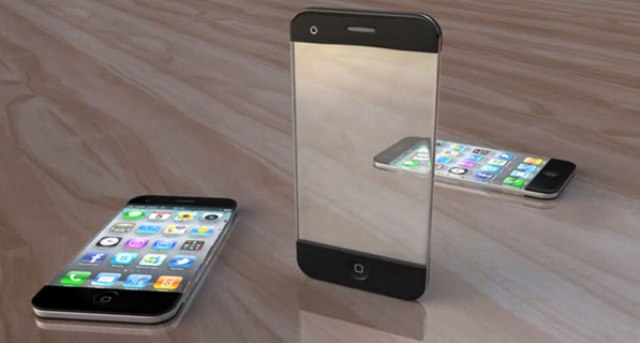

This problem was highlighted in the leaked images iResQ which includes a single device, believed the center of the latest generation of iPhone is faced with the iPhone 4.
The image looks like when the phone is supposed that the iPhone 5 will be thinner than the next device to be. Indeed, it reveals more about the thinness. However, clearly visible in the images.
The image looks like when the phone is supposed that the iPhone 5 will be thinner than the next device to be. Indeed, it reveals more about the thinness. However, clearly visible in the images.

Apple itself had previously invitations for an event that is created on the iPhone 5 12 09 2012 is distributed in the market.
"Its almost here," a short text on the invitation.
In addition there is also a fat figure 12 in the September 12th incident occurred. And this is the focus on the bottom that says the number 5 which is shaded.
Seeing it was definitely a lot of people can tell right away that this is the arrival of the iPhone 5 promises. Since these devices have been a hot topic in the world of art week.
"Its almost here," a short text on the invitation.
In addition there is also a fat figure 12 in the September 12th incident occurred. And this is the focus on the bottom that says the number 5 which is shaded.
Seeing it was definitely a lot of people can tell right away that this is the arrival of the iPhone 5 promises. Since these devices have been a hot topic in the world of art week.


Wednesday, August 27, 2014
Apple iPhone 5 and iPhone 4S Compare
Apple iPhone 5 and iPhone 4S (Compare) - Apple has just released the latest generation of the iPhone 5, and likely people would ask those who have used the iPhone 4S, iPhone 5 is better than the iPhone 4S?
Weighs only 112 grams and is only 7.6mm thick, the iPhone 5 20% lighter and 18% thinner than its predecessor. In comparison, the iPhone 4S weighs 140 grams and 9.3mm thick.
iPhone 5 to use a 4-inch retina display with a resolution of 1136 x 640 pixels (326ppi), a half-inch larger than the iPhone 4S screen. Apple iPhone 4S has a touch screen measuring 3.5 inch retina with resolution of 960 x 640 pixels (326ppi).
Apple is using a new A6 chip in the iPhone 5, in which the chip is powered by a dual core 1.2GHz processor and PowerVR SGX GPU core triple 543MP3, which is claimed by Apple to perform 2 times better than the iPhone 4S. While the iPhone 4S uses A5 chip with support for dual-core 1GHz processor and PowerVR GPU SGX543MP2. Apple iPhone 5 is also equipped with 1GB of RAM, and the iPhone 4S is equipped with 512MB of RAM.
For the operating system, both the iPhone 5 and iPhone 4S can run the latest iOS 6.
Apple iPhone 5 and iPhone 4S, both equipped with an 8 megapixel main camera. Both are also equipped with a front camera, and the camera of the iPhone 5 has increased compared to its predecessor. iPhone 5 is equipped with a 1.2 megapixel front camera with 720p HD video recording capabilities.
Apple iPhone 5 and iPhone 4S both are available in three choices of internal memory capacity of 16GB, 32GB, and 64GB. For connectivity features features both have the same connection, but the iPhone 5 is already equipped with 4G LTE network support.
Apple also said that the iPhone 5 battery is capable of providing a longer life time. iPhone 5 can last up to 225 hours on standby time, while the iPhone 4S can last up to 200 hours on standby time.
There are two more new features are presented on the iPhone 5, the first is the latest 8-pin connector that has the name of Lightning connector. And the second is using a nano iPhone 5 SIM.
And as seen from the two specifications of Apples smartphone, the iPhone 5 comes with better specs than iPhone 4S.
Weighs only 112 grams and is only 7.6mm thick, the iPhone 5 20% lighter and 18% thinner than its predecessor. In comparison, the iPhone 4S weighs 140 grams and 9.3mm thick.
iPhone 5 to use a 4-inch retina display with a resolution of 1136 x 640 pixels (326ppi), a half-inch larger than the iPhone 4S screen. Apple iPhone 4S has a touch screen measuring 3.5 inch retina with resolution of 960 x 640 pixels (326ppi).
Apple is using a new A6 chip in the iPhone 5, in which the chip is powered by a dual core 1.2GHz processor and PowerVR SGX GPU core triple 543MP3, which is claimed by Apple to perform 2 times better than the iPhone 4S. While the iPhone 4S uses A5 chip with support for dual-core 1GHz processor and PowerVR GPU SGX543MP2. Apple iPhone 5 is also equipped with 1GB of RAM, and the iPhone 4S is equipped with 512MB of RAM.
For the operating system, both the iPhone 5 and iPhone 4S can run the latest iOS 6.
Apple iPhone 5 and iPhone 4S, both equipped with an 8 megapixel main camera. Both are also equipped with a front camera, and the camera of the iPhone 5 has increased compared to its predecessor. iPhone 5 is equipped with a 1.2 megapixel front camera with 720p HD video recording capabilities.
Apple iPhone 5 and iPhone 4S both are available in three choices of internal memory capacity of 16GB, 32GB, and 64GB. For connectivity features features both have the same connection, but the iPhone 5 is already equipped with 4G LTE network support.
Apple also said that the iPhone 5 battery is capable of providing a longer life time. iPhone 5 can last up to 225 hours on standby time, while the iPhone 4S can last up to 200 hours on standby time.
There are two more new features are presented on the iPhone 5, the first is the latest 8-pin connector that has the name of Lightning connector. And the second is using a nano iPhone 5 SIM.
And as seen from the two specifications of Apples smartphone, the iPhone 5 comes with better specs than iPhone 4S.
Apple iPhone 4S
iPhone 4S has the same design of the iPhone 4, but comes with a more powerful specification. iPhone 4S is powered by Apple A5 chipset with support for dual-core Cortex A9 processor and GPU 1GHz owerVR SGX543MP2.
iPhone 4S is a world phone, which the iPhone 4S can run on both GSM and CDMA networks, so it can be used almost in all the countries.
Apple iPhone 4S comes with an 8 megapixel camera with 1080p HD video recording capabilities dengsn features of real time noise reduction and video stabilization.
Apple iPhone 4S comes in two color variants namely black and white and will be available in three memory options ie 16GB, 32GB and 64GB.
iPhone 4S is a world phone, which the iPhone 4S can run on both GSM and CDMA networks, so it can be used almost in all the countries.
Apple iPhone 4S comes with an 8 megapixel camera with 1080p HD video recording capabilities dengsn features of real time noise reduction and video stabilization.
Apple iPhone 4S comes in two color variants namely black and white and will be available in three memory options ie 16GB, 32GB and 64GB.
Apple iPhone 5

Apple iPhone 5 memmiliki an ultra slim body with a thickness of only 7.6mm. iPhone 5 is powered by Apples new A6 chipset that offers performance and GPU processor twice as fast.
Apple iPhone 5 is equipped with an 8 megapixel camera with several new capabilities such as, take pictures faster performance, better low light, panorama mode, and the ability to take pictures while recording video (1080 at 30fps). iPhone 5 is also equipped with a front camera, which is now able to record 720p HD video.
Apple iPhone 5 is also equipped with super-fast connectivity features like 4G LTE 100Mbps and dual band Wi-Fi, and a smartphone has 8-pin connecter smaller ligtning called the connector.
Tuesday, August 26, 2014
Some Facts About Products from Apple iPhone
Some Facts About Products from Apple iPhone - Of course you are already familiar with Apple products has always been the flagship in the world of technology today? as we know that apple presenting their latest product the iPhone first generation in 2007, and since then Apple product is claimed to be one of the best smartphones in search of many people in the world even if the emergence of the latest products from Apple, many people are willing to queue and wait until a couple of days just to get the latest product recently released by Apple.
The truth behind the excellence and kepopularitas Apple products is a lot of facts behind a little-known by many people and facts about apple products will certainly shock you, here are some facts about the iPhone were taken from one source, namely Mashable, which are:
1. It was reported that the total iPhones sold in the world today has sold over 250 thousand units. When the total iPhones sold were combined, then surely every citizen in Indonesia would be happy because they will each acquire one unit iPhone of course.
2. Did you know that in fact Apple and Samsung are two companies competing in the business world but in their rivalry, both companies remained in a partnership that proved where the Apple gained provision chip stocks and some other components from Samsung to manufacture their iPhone.
3. It takes approximately 200 patents and 156 suppliers spread across the world for the manufacture of an iPhone produced by Apple, this is what makes the price of an iPhone is quite expensive even expensive when compared to other products.
![Some]()
4. Apple has produced a lot of interesting products, but of the many components of the iPhone 5, which is owned by screen iPhone 5 with 4-inch size is one of the most expensive components, even the UBM TechInsight takes to obtain one unit of the screen then the Apple to spend around USD 44. -
5. The most interesting in making an iPhone is using the nine minerals in the earth that is rarely encountered, and it is known that most of these minerals are only in one place and it is estimated nearly 90 percent of the minerals are located in Chinas mining country.
1. It was reported that the total iPhones sold in the world today has sold over 250 thousand units. When the total iPhones sold were combined, then surely every citizen in Indonesia would be happy because they will each acquire one unit iPhone of course.
2. Did you know that in fact Apple and Samsung are two companies competing in the business world but in their rivalry, both companies remained in a partnership that proved where the Apple gained provision chip stocks and some other components from Samsung to manufacture their iPhone.
3. It takes approximately 200 patents and 156 suppliers spread across the world for the manufacture of an iPhone produced by Apple, this is what makes the price of an iPhone is quite expensive even expensive when compared to other products.

4. Apple has produced a lot of interesting products, but of the many components of the iPhone 5, which is owned by screen iPhone 5 with 4-inch size is one of the most expensive components, even the UBM TechInsight takes to obtain one unit of the screen then the Apple to spend around USD 44. -
5. The most interesting in making an iPhone is using the nine minerals in the earth that is rarely encountered, and it is known that most of these minerals are only in one place and it is estimated nearly 90 percent of the minerals are located in Chinas mining country.
Subscribe to:
Posts (Atom)
