Showing posts with label application. Show all posts
Showing posts with label application. Show all posts
Friday, November 7, 2014
How to Backup and Restore Application Sony Xperia Z1 Compact
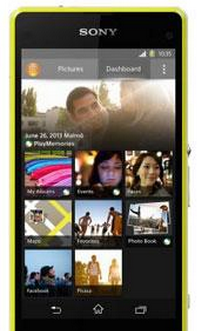 The Backup and restore application is recommended for backing up content before you do a factory data reset. With this application you can back up the following types of data to an SD card or to an external USB storage device that you have connected by cable to your device:
• Bookmarks
• Call logs
• Contacts
• Applications downloaded from Google Play™
• Multimedia messages
• System settings (such as alarms, ringer volume, and language settings)
• Text messagesTo back up content using the Backup and restore application
1. If you are backing up content to a USB storage device, make sure the storage device is connected to your device using the appropriate cable. If you are backing up to an SD card, make sure the SD card is properly inserted in your device.
2. From your Home Lcd, tap Apps icon or 9 dotted icon.
3. Find and tap Back up & restore.
4. Tap Back up, then select a backup destination and the data types that you want to back up.
5. Tap Back up now.
6. Enter a password for the backup, then tap OK.To restore content using the Backup and restore application1. If you are backing up content to a USB storage device, make sure the storage device is connected to your device using the appropriate cable. If you are backing up to an SD card, make sure the SD card is properly inserted in your device.
2. From your Home Lcd, tap Apps icon.
3. Find and tap Back up & restore.
4. Tap Restore.
5. Select the record that you want to restore from, then tap Restore now.
6. Enter the password for the backup record, then tap OK.
Warning: Remember that any changes you make to your data and settings after you create a backup will
get deleted during a restore procedure.

Wednesday, November 5, 2014
Facebook announces Slingshot application a Snapchat competitor

Facebooks Creative Labs today has announced their second new application for Android and iOS operating systems, named as Slingshot. The application, that was accidentally released by the Facebooks developers earlier this week in the Google Play Store is now official for the public to download for free of cost on both the platforms.
Like rumored in the past, the new application will be a competitor for the existing messaging application from the market, like Snapchat for instance, where with the new Facebooks Slingshot too, users will be able to send and receive short length videos and photos that "don’t stick around forever", actually these files will disappear after you viewing them within the new app.
So to be clear, you will be able to "Sling" a video or photo to a bunch of your friends or one, what youre up to, whom you are with or even a selfie, with some writings and colors over it. In order for your friends to open what you just send, he will have to send/reply you back with a "Sling", meaning a picture or video before they can view what just came in their inbox. Dont get us wrong, you wont be replying the shot with a reaction to whatsoever that just came in, as you are not aware what exists in the video or photo you just received, but only sending back with what you are currently up to or about doing some cool stuff around, to know what your friend just sent you. Following that, users then send reply with a reaction or just swipe it away, which will clear it forever. Seems to be fun and interesting?
"With Slingshot, we wanted to build something where everybody is a creator and nobody is just a spectator. When everyone participates, there’s less pressure, more creativity and even the little things in life can turn into awesome shared experiences. This is what Slingshot is all about."
Get it on Google Play or scan the below QR code

Get it on Apple App Store or scan the below QR code

Source: Slingshot
Tuesday, August 26, 2014
Application for Viewing Photos on Instagram of PC Desktop
A collection of online applications to open and view photos on Instagram of the desktop.
Instagram, the application for the popular photo-sharing, which is available for IOS users and also for Android users also have the ability to deploy an effect to the image directly in a flash.
All photos uploaded to Instagram are public by default, unlike the other a shot at sharing sites like Flickr or Picasa, Instagram does not have a website where users can view the photo has been uploaded by another user. You need to download the mobile application Instagram to do that which is only available for Android and iPhone to date.

For those of you who see the photos in instagram igin in the size of a computer can mengjungi bsar through one of these sites that provide service to open a photo image in Instagram through PC browser
Webbygram is a website that allows you to view photos Instagram in the web browser without the need for other applications. By default this site displays photos Instagram most popular, and for those who have accounts can Instagram logigin to this site to be able to see, like or comment on the photo to give other users in Instragram. Link: webbygram.com
INK361 you can see the size of the image instagram in three options: small, medium and Full, perfect for those who have a connection problem when displaying images with large sizes. Link: ink361.com
Statigram designed to allow full access Instagram photo as on the mobile application, but in the internet browser on the computer version. Link: statigr.am
Copygram not only offer to see the photos Instagram through your desktop, but to also have fitu for Cloud Storage can be used as your photo. Link: copygr.am
Other sites that menyediapakan Web Apps for Instagram is instagre.at, gramfeed.com extragr.am and web.stagram.com.
Subscribe to:
Posts (Atom)
