Sunday, November 23, 2014
Intel back to school with Tablets running on Android and Windows 8 1
This tablet runs on the processor model of the " Bay Trail "and is not to slide" Celeron N2806 "fast dual-core 1.6 GHz and provider working on touch screen along with a webcam.
Besides the former Computer unveiled " Intel "from another computer running the same size on the system" Android 4.2 Jelly Bean "and the entire body of provider rubber for easy caught him by the student and small, as well as by small.
This works on a computer is a dual processor cores slide " Atom Z2520 "fast 1.2 GHz technology accelerator with" Hyper-Threading "technology as well as three-dimensional graphics acceleration" 3D "which supports 1080p resolution video as a camera background and supports third-generation networks" 3G "and its battery enables it to work up to 1, 2 Hours.
Spain mentioned and what they are oriented to aspects of the educational tools they contain large, as well as sensitive to temperature and will launch as of next month.

Saturday, November 22, 2014
Halloween 2012 Top 5 Halloween Scary Horror movies on YouTube

I’ve watched some of them and most of these horror movies are really frightening. So attention please, if you are afraid of this HORROR movie, does NOT click it.
1. Halloween (2007) $2.99
After being committed for 17 years, Michael Myers, now a grown man and still very dangerous, escapes from the mental institution (where he was committed as a 10 year old) and he immediately returns to Haddonfield, where he wants to find his baby sister, Laurie. Anyone who crosses his path is in mortal danger.
2. Zombieland ($9.99)
A shy student trying to reach his family in Ohio, and a gun-toting tough guy trying to find the Last Twinkie and a pair of sisters trying to get to an amusement park join forces to travel across a zombie-filled America.
See also: Zombieland Now On Blu-ray™, DVD & Digital Download
3. Trick R Treat ($1.99)
Four interwoven stories that occur on Halloween: An everyday high school principal has a secret life as a serial killer; a college virgin might have just met the one guy for her; a group of teenagers pull a mean prank; a woman who loathes the night has to contend with her holiday-obsessed husband.
4. Nosferatu (Free)
The first Lcd adaptation of Dracula, this is one of the greatest horror movies ever made. Light and shadwo highlight Max Schrecks unforgettable perfomance as the evil vampire Count Orloff. Young estate agent Thomas Hutter agrees to help Count Orloff relocate to the city. Soon, Hutter and his wife are ensnared by the vampires deadly powers.
Abraham Lincoln, the 16th President of the United States, discovers vampires are planning to take over the United States. He makes it his mission to eliminate them.
Warning: These movies do not depict reality. They are for entertainment only.
Monday, November 17, 2014
Great Brands for Good Prices on Auto Sound Systems
Monday, November 10, 2014
Using iTunes to Manage Music on Android
On of the biggest complaints heard from Android users is that there is no way to manage their music as simply as they can with an iPhone and iTunes. Unfortunately, Android does not currently have a desktop music service (expect a cloud-based option in the near future from Google) besides the computers file browser. There are several programs that offer to be an "iTunes replacement" for Android, however, some users just love iTunes and want to continue using it. This article will show you how to use iTunes to manage the music on your Android device. However, there are some things you will need to be aware of:
- You will still need to occasionally use Windows Explorer or your computers file browser to view the files on your device
- You will not be able to purchase songs in iTunes and expect them to play on Android
- This is a work-around and requires a bit more work that the seamless iTunes to iPod syncing
- You cannot have other songs in iTunes that you dont have on your Android device already
- You will only be able to access the songs in iTunes when your phone is plugged in
- This method takes a bit more work and remembering to copy new files when you purchase them
I will explain the reasons for these restrictions as we go along. So lets begin.
Organizing With Folders in Windows
Before we can begin with iTunes, you must first organize all of your music using Windows Explorer (or your file manager on Mac). Open the folders that you store music in and look around. You are going to have one main folder called "Music." In that, you will have the following sub-folders: "Music for Android" and "Other Music." In the "Music for Android" folder, you will be putting all of the songs you want to have on your Android phone. In the other folder, you will put all of the songs that are in your collection but that you dont want on your phone. You can cut and paste songs between the two folders freely.
Connecting Your Phone
Once you establish which music files you want on your phone, you are going to copy them onto your phone. To do this, plug your phone into the computer with the USB cable and select "Mount as USB storage" on your phone. You will now notice that your phone has become a removable storage device. Open it up in your file manager and locate the folder called "music." If one doesnt exist, you can create it. (Note: this guide is written as if you dont already have music on your phone. If you do, you can copy it all to the "Music for Android" folder on your computer.) Into this folder you are going to paste all the music from the "Music for Android" folder on your computer. It sounds complicated, but its not that bad.

Once all of your music is copied to your phone, you will now have two copies of the music: one stored on your computer, the other on your phone. When you download a new song from Amazon or online, you will need to save it to your phone AND the folder on your computer. Essentially, you want to make sure they remain exact copies of one another.
Setting up iTunes
Now that you have music on your phone, you are going to tell iTunes that you want it to manage your library of music on your phone as if it were your desktop. If you already have music in iTunes, you will need to remove it from your library for this to work (I warned you in the intro). This doesnt delete the music from your computer, rather it simply gives iTunes a fresh start.
Now, make sure your phone is connected and mounted as removable storage. In iTunes, click "File" > "Add File to Library..."

In the window that appears, locate your phones music folder that you copied the music into earlier. Select all of the files by clicking the first one, holding Shift, and clicking the last one. Then, click "Open."


Once your music finishes importing, iTunes will display all of the music on your device. Your iTunes Library will only be accessibly when your phone is plugged in and mounted because iTunes is reading the files from your device. Whenever you edit a file in iTunes, the changes will be reflected on your device because it is treating them as raw mp3 (or other) music files. There is, however, one exception: album artwork.
Album Artwork, iTunes, and Android
For whatever reason, iTunes doesnt like to handle album art work very well. It will download album art work and reflect it within iTunes, but if you unplug your phone and open the Music app, you will not see that artwork. If art work is a big issue for you, you may not want to use this solution because it is time consuming. However, it is simple, assuming you remember to do it each time you download a file (Note: if you download music from Amazon or another online music store, the album art work is usually encoded in the file and it isnt necessary to encode it using iTunes.) To add album art work, right click on a music file in iTunes and select "Get Album Artwork." Then, right click on it again, and choose "Get Info." Click on the "Artwork" tab.

Now here is the tricky / weird part. When iTunes downloads album art work, it doesnt store that art work in the file like Amazon does when it sells a song to you. Instead, it is only accessible when you are viewing the song in iTunes. In order to actually make the album art work encoded within the file and viewable on Android and other music players (like Windows Media Player), you must paste the file into the Artwork tab. This can be done by right clicking on the Album art that iTunes finds and selecting "Cut" and then right click in the blank space and choose "Paste."

Although it doesnt look any different now, the art work is now encoded into the file. You will need to repeat this for every song. Time consuming? Yes. But its the price to pay if you want accurate album art using iTunes on Android.
Things to Remember
The good news is that you have completed all the difficult steps. The only thing to do now is to remember a few things:
- When you download a music file on your computer that you want on your Android phone, save one copy in "Music for Android" and then copy another copy onto your phone when it is mounted.
- When you download a music file on your phone from an app like Amazons music market, remember to copy and paste it into your computers "Music for Android" folder
- If you change a file on your phone using iTunes, copy it into your "Music for Android" folder and remember to OVERWRITE the old file with the new.
- You cant make changes to your iTunes library unless your phone is plugged in and mounted
- Dont download music from iTunes. You must use Amazon or some other DRM-free service.
Samsung Galaxy Alpha smartphone to make its debut on August 4

Samsungs new premium smartphone in from the latest leaks and rumors is the anticipated Galaxy Alpha handset. The phone has already made a good number of peeps from the wild and lately, we also saw SAMMOBILE providing a better look at the smartphone and its hardware along with other details. Today the people from the same source are here, telling us that the impending smartphone from the South Korean multinational electronics manufacturer will be making its first public debut and the company will officially announce it in just a weeks time.
Well, if you are new to the phone, the looming Samsung made Galaxy Alpha is a high-end middle ranged smartphone, which is speculated to be the companys first ever smartphone partially made out of some solid metal (reportedly aluminium), running Android operating system on board, seizing it lower than the Galaxy S5 Mini range, as reported in the past. Galaxy Alpha will allegedly having its chassis made from metal and from the back well be getting the perforated fake leather textured plastic for the battery door, that is identical to the firms new bellwether smartphone, Galaxy S5. Lastly from the front, we are seeing a sheet of glass, possibly the latest generation Corning Gorilla Glass for protection of the display.
And now according to this latest read, the sources confirm that the new yet to go official smartphone from Samsung will be announced in next month, on the 4th of August, as rumored earlier. As we read on, the electronics maker from Korea needs the excitement for the Galaxy Alpha smartphone to die before they go ahead and announce the next generation Galaxy Note smartphone, somewhere in September. In term of the leaked internals, the Samsung Galaxy Alpha totes a 4.7-inches High Definition Super AMOLED screen of 1280 x 720 resolution pixels, 32 gigabytes of internal mass storage with no further expandability, nano-SIM card slot, fingerprint scanner integrated to the devices home button and heart rate sensor on the back, like the flagship GS5.
Source: SAMMOBILE
Tuesday, November 4, 2014
Motorola is inviting the Press to London on May 13

Motorola have sent out its invites to their Press Conference, that is about to take place in London, United Kingdom in couple of weeks time. So if your anticipated to know whats next from the American telecommunications equipment provider, Motorola Mobility, then make the date, 13th of May, 8:45 AM local time on your calenders, as the company already hints about the introduction of their next smartphone.
"Connect more people to the worlds information and each other, and they can do great things. Introducing the next smartphone from Motorola to make these connections happen. Made to last. Priced for all," quoted Motorola in their invitation slip.
Talking about the words like "made to last" and "priced for all", tips us seeing a smartphone that is much more durable to use and also goes well with the affordable pricing mechanism. Picking whats already there there in our past leaks and rumors tags are the Motorola made Moto E, which is expected to come out of the box with a Dual-Core processor, clocked at 1.2GHz, 4.3-inches HD screen of 720p resolution, four gigs of on board expandable storage, one gigabyte of RAM, five megapixels main shooter, a 1,900mAh battery and running Android 4.4 KitKat on top. Then we have the Moto X successor, Moto X+1, which dont seems to fit well with words what Motorola is describing all at the moment. Even though its all going to be about the firms next smartphone as aforementioned, but we also hope to see some news come out based on their new wearable, the Moto 360s consumer launch.
Monday, October 27, 2014
Ebay has Surprising Bargains on Auto Sound Systems
 Many people often find better deals when going through Ebay than they would even be able to find at many retailers online. I am constantly amazed at the wonderful bargains that can be found on Ebay not only when it comes to auto sound systems but full entertainment packages for your vehicle. Not only can you find great bargains on sound systems for your vehicle you also can find some thrifty deals on amplifiers, subwoofers, speakers, speaker systems, and tools, tips, and tricks when it comes to installation.
Monday, October 13, 2014
How to Send a Multimedia Message and Create a Slideshow on HTC Desire 816
 Text messaging has grown its popularity over the years especially to younger generations. People, especially teens, prefer to communicate with friends and relatives thru texting instead of the traditional call. But whether your reaching out to friends thru text or a call, what matters most is the effort for still trying to keep in touch despite distance and even on busy schedules. We should be more grateful these days as it only takes minutes, even seconds, for a quick response unlike the old school snail mail. Now, everyone is just a text away. And more to that, you can even send multimedia messages (MMS) especially on special occasions to add more touch to a simple text-filled Lcd.
Heres how you can send a MMS on HTC Desire 816:
1. On your devices homeLcd, tap on
 and go to Messages.
2. Then tap on

3. On the To Field, key in a contact name, mobile number or email address. You can also send it to a group of friends by tapping on

4. To add a subject line, tap on
 and go to Add Subject.
5. Tap on the box that says Add text and there you can type in your special message.
6. Choose an attachment for your message by tapping on

7. After you browse and select an attachment, tap on Send or press
 to save it as a draft. You can also tap on
 to see options like replacing, viewing and removing your attachment.
Now if you wish your Mutimedia Message to reach an extra mile, you can have it on a slideshow format. Heres how you can create one:
once again and select Slide.2. Then choose where you want to insert the next slide.
3. When youre done adding the next slide, you can either do the following:
- tap onand choose to add a video or a photo
- tap onand then audio if you want to add a voice recording or a music to the slide
- tap on Add Text to add a caption
- tap onto view options like replacing, viewing or removing your attachment.
select Preview. If you dont see Preview, scroll down the menu. To view the playback controls, tap once the preview Lcd. or tap on Send to save message as a draft.Friday, October 3, 2014
BlackBerry BBM Take Back on Android and iPhone
Wednesday, October 1, 2014
How to Reduce the Battery Consumption on Samsung S4
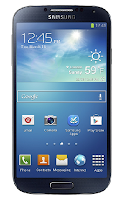
● Switch to Sleep mode by pressing the Power key when you are not using your device. Close unnecessary applications with the task manager.
● Deactivate the Bluetooth feature.
● Deactivate the Wi-Fi feature when not in use.
● Deactivate auto-syncing of applications.
● Decrease the backlight time.
● Decrease the brightness of the display.
Sunday, September 28, 2014
How to Clear Call History on HTC One
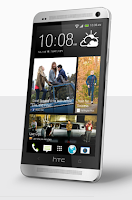
To delete one name or number
1. On your devices Call History tab, press and hold the name or number you wish
to delete.
2. And tap Delete from call history.
To delete the entire call history list
then go to Remove call history.2. On the Delete from call history Lcd, tap
3. Choose Select all and then tap Delete.
Monday, September 8, 2014
Etisalat Magic Sim Card Activation For Free browsing On Blackberry
Tutorial is basically for all blackberry users except VERIZON BLACKBERRY PHONE. After etisalat magic sim card activation you dont need to worry over blackberry subscription again.

Benefits of the latest Etisalat Magic Sim Card For Blackberry
You do not need to worry about monthly blackberry subscription on etisalat after follow this simply free blackberry subscription tweak.Unlimited download and Internet browsing after activation.
How to Activate Etisalat Magic Sim Card Free Browsing Tweak
Switch To EasyCLiq - Recharge With 100N Airtime
Note : timing really matters if you are not fast enough the tweak wont work
Dial *499*3*2#
You will receive a message your request has been receive and is being process
Cut it and dial *244*2#
When u dial *244*2# dey will also tell u dat ur request is being process
Cut it again and dial *244*3# it will tell u dat u are on BB voice plan
Remove your phone battery and Insert again
Note : timing really matters if you are not fast enough the tweak wont work
Dial *499*3*2#
Cut it and dial *244*2#
When u dial *244*2# dey will also tell u dat ur request is being process
Cut it again and dial *244*3# it will tell u dat u are on BB voice plan
Remove your phone battery and Insert again
Thursday, September 4, 2014
Technology Be Used Sony Cyber Shot Mobile on Android Phones
Reported by one source that the Xinmin China Mobile will combine Sony cyber shot technology with the Android operating system. And Sony Mobile also will make a difference for Cyber Shot series android phone with the Sony Xperia Android phones.

Wednesday, September 3, 2014
5 Tips on How to Buy a BlackBerry
The existence of PIN and BBM features enable consumers to consider several things when they want to buy a BlackBerry, both the former and new.

1. Check IMEI and PIN
Check the IMEI and PIN to purchase the BlackBerry main requirements. IMEI number must exist in all types of mobile phones, as well as BlackBerry. IMEI is written on the inside of the phone when you remove the battery and also was in the cardboard package BB purchase.
How to check the IMEI is by pressing * # 06 #. You can also check your IMEI number by pressing once PIN Options and select Status. Can also by pressing ALT + CapsLock + H.
2. Check the age of use
We can also find out easily how long the BlackBerry has been used. This is useful for us to buy the latest BlackBerry devices. One-one wants a new one, it turns out the BlackBerry is already been used for some time.
How to check the duration of use BB BB is to press menu and select the Options menu followed by selecting the Status menu. In the screen that appears, you type BUYR.
3. Check the performance of your BlackBerry
Before you buy a BlackBerry, you can test the existing facilities. This is useful to avoid regrets later on. You can check all the features from the BlackBerry to feature sound physical condition. The trick is to press the BB menu and select Options, then select the status and write TEST.
4. Physical checks and completeness of the contents of the sales package
Usually there will be in the sales package charger, data cable, memory card, manual book, CD driver, handsfree, and some other equipment for certain types of BlackBerry, suppose will get leather case for BlackBerry.
You also have to look at the condition of the surface of the casing wrapping your BlackBerry, especially the new BlackBerry. A new name, of course, the BlackBerry is still looking smooth and no scratches whatsoever.
5. Make sure the warranty
Currently, all mobile operators, especially GSM, selling BlackBerry devices. Consequently you have to get warranty service alias purnajualnya. This is for your safety if at any time there is damage / constraints on the BlackBerry.
Sunday, August 31, 2014
Creating a Picture Sketch on iPhone
My Sketch for iPhone application is easy to use the IOS device, you can take photos from your iPhone or iPad kamre then add a sketch effect to the image directly. Or from an existing photo in the photo gallery on the iPad or iPhone

- Turn your photos to Beautiful Realistic Sketch
- Create unlimited sketches
- High Resolution
- Photos can be taken directly from Camera or Photo Album
- Choose 20 different type of Sketches
- Adjustment of Brightness and Contrast to achieve the best Sketch Results
- Sharing via Facebook,Twitter, Tumblr,Flickr and E-mail
Tuesday, August 26, 2014
Application for Viewing Photos on Instagram of PC Desktop
Instagram, the application for the popular photo-sharing, which is available for IOS users and also for Android users also have the ability to deploy an effect to the image directly in a flash.
All photos uploaded to Instagram are public by default, unlike the other a shot at sharing sites like Flickr or Picasa, Instagram does not have a website where users can view the photo has been uploaded by another user. You need to download the mobile application Instagram to do that which is only available for Android and iPhone to date.

Webbygram is a website that allows you to view photos Instagram in the web browser without the need for other applications. By default this site displays photos Instagram most popular, and for those who have accounts can Instagram logigin to this site to be able to see, like or comment on the photo to give other users in Instragram. Link: webbygram.com
INK361 you can see the size of the image instagram in three options: small, medium and Full, perfect for those who have a connection problem when displaying images with large sizes. Link: ink361.com
Statigram designed to allow full access Instagram photo as on the mobile application, but in the internet browser on the computer version. Link: statigr.am
Copygram not only offer to see the photos Instagram through your desktop, but to also have fitu for Cloud Storage can be used as your photo. Link: copygr.am
Other sites that menyediapakan Web Apps for Instagram is instagre.at, gramfeed.com extragr.am and web.stagram.com.
Thursday, August 14, 2014
Download App To Edit Video on Android
This application is suitable for you who are outside and want to directly edit the video file new dimabildiambil to then publish to another site or uploaded to YouTube. So AndroVid Video Trimmer can be the mainstay of the application to edit your video.

Wednesday, August 13, 2014
Nexus 10 Tablet Pictures Leaked on the Internet


